How to Add Google Analytics 4 to Shopify (2026)
Add Google Analytics 4 to Shopify with the Google & YouTube app: create a GA4 property, connect it in the app, check purchase events, avoid double counts.

On this page
To add Google Analytics 4 to Shopify, create a GA4 property and web data stream in Google Analytics, install Shopify's Google & YouTube app, connect your Google account in it and select the GA4 property. The app then sends page views and ecommerce events (view item, add to cart, begin checkout, purchase) without any code.
Time required: 20 to 30 minutes, plus up to a day for reports to fill in
What you'll need:
- A Shopify store and staff access with permission to install apps
- A Google account with access to Google Analytics
- A test product you can order and refund
For what those events mean and which ones to report on, see GA4 events explained.
Step 1: Create a GA4 property and web stream
Where: analytics.google.com > Admin > Create > Property
- In Google Analytics click Admin (gear icon), then Create > Property.
- Name it after the store, set your reporting time zone and currency (the currency your store sells in).
- Choose Web as the platform, enter
https://yourdomain.comand create the stream.
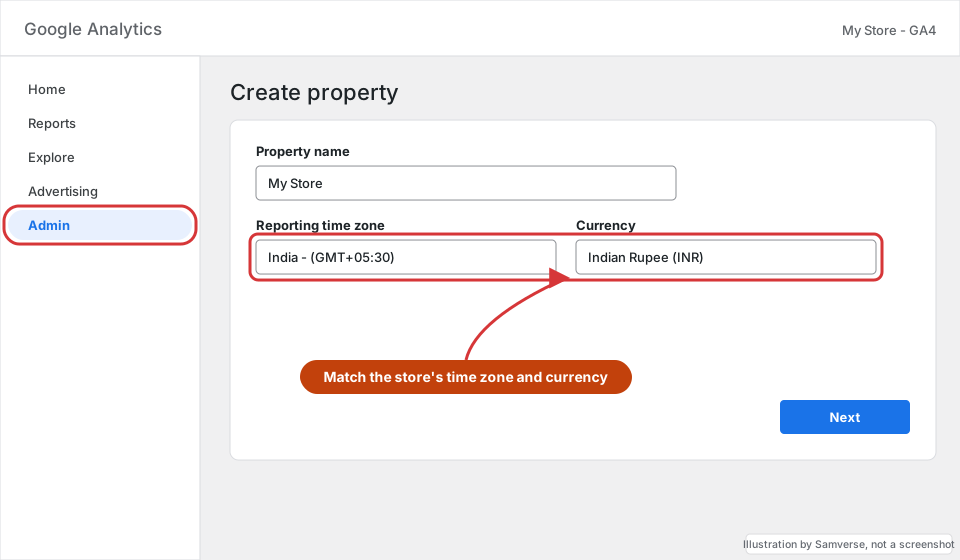
If you already have a GA4 property for the store, skip this step and use that one.
Step 2: Remove any old tracking code
Where: Shopify admin > Online Store > Themes > Edit code > theme.liquid, and Settings > Customer events
Before connecting the app, look for an older gtag snippet (G- or UA- ID) in theme.liquid, and any custom pixel under Settings > Customer events that also sends to Google Analytics. Two setups at once count every purchase twice. Remove the old one after the app is working.
Step 3: Install the Google & YouTube app
Where: Shopify App Store > Google & YouTube
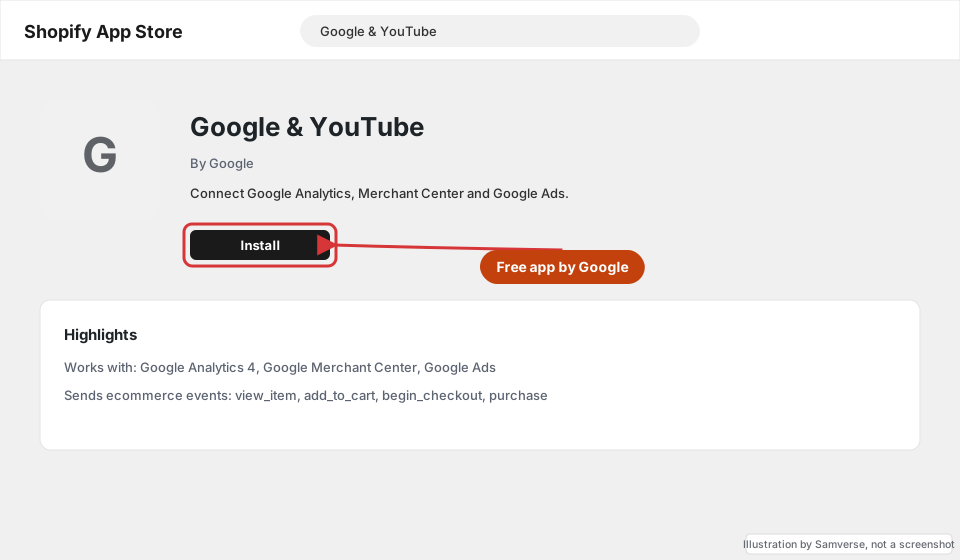
- In Shopify admin, open Apps and search the Shopify App Store for Google & YouTube (published by Google).
- Click Install and approve the permissions.
- In the app, click Connect Google account and sign in with the account that has GA4 access.
Step 4: Connect the GA4 property
Where: Shopify admin > Apps > Google & YouTube > Settings > Google Analytics
- In the app's settings, find Google Analytics and click Connect.
- Select the GA4 property from Step 1 and confirm.
- You can skip Merchant Center and Google Ads for now if you only want analytics.
Step 5: Check it in Realtime
Where: Google Analytics > Reports > Realtime
- Open your store in a private window and click through a product and the cart.
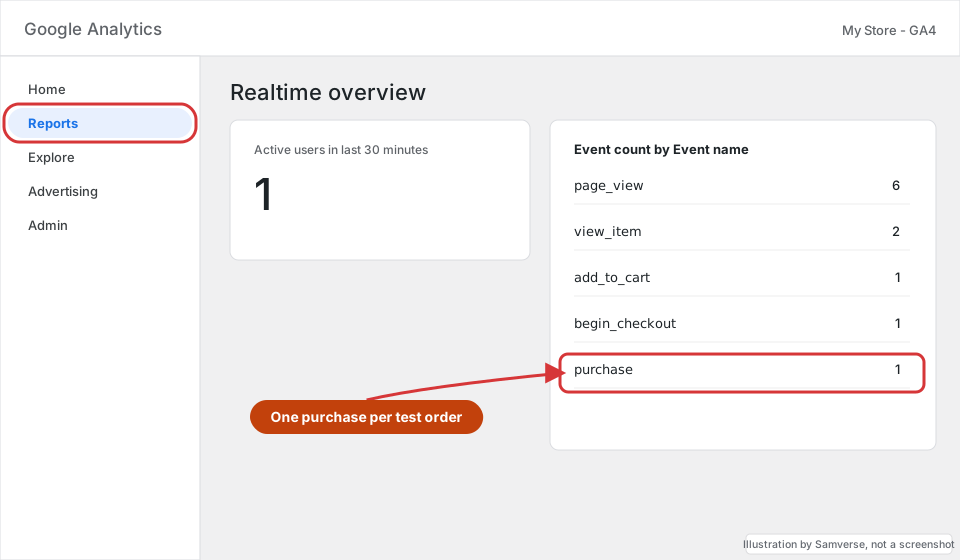
- In GA4 open Reports > Realtime. You should see yourself as a user and events such as
page_view,view_itemandadd_to_cart. - Place a test order (for example with a discount code or a manual payment method), then refund or cancel it.
Step 6: Link Search Console and set key events
- In GA4 Admin > Product links > Search Console links, link the property you created in the Search Console for Shopify tutorial.
- Under Admin > Events, make sure
purchaseis marked as a key event. - Set data retention to the longest option under Admin > Data collection and modification > Data retention.
Troubleshooting
- Purchases counted twice: an old gtag snippet or a second pixel is still sending. Keep one source only.
- No purchase events: they can take time to appear outside Realtime. Also check the customer privacy settings: in regions where consent is required, visitors who decline are not tracked.
- Revenue in the wrong currency: check the GA4 property currency in Admin > Property details.
- Can't see the property in the app: the Google account you connected does not have Editor access on that GA4 property.
FAQs
Does Shopify have Google Analytics built in?
Not directly. The free Google & YouTube app is the supported way to connect GA4; the old field for a tracking ID in preferences was for the retired Universal Analytics.
Will GA4 match my Shopify sales report exactly?
No. Ad blockers, declined cookie consent and refunds mean GA4 usually shows fewer orders than Shopify. Use Shopify for sales totals and GA4 for where visitors came from.
Can I use Google Tag Manager on Shopify instead?
Yes, through a custom pixel in Customer events, but it takes more setup. For most stores the Google & YouTube app is enough.
Stuck on a step?
Tell me where you got stuck and I'll reply with a plan and a fixed quote, usually within 24 hours.